Learn How Selling Really Works on WhatsApp, Instagram & Facebook.
A short, free course in Meta's commerce ecosystem — how ads, DMs, and chat turn into orders. Swipe through the lessons below, no sales call required.
- ✓ How Click-to-WhatsApp ads skip the landing page and open a real conversation.
- ✓ How Instagram and Facebook feed traffic into a single chat thread.
- ✓ How that first WhatsApp reply can become an automated storefront.
Free to read. No sign-up.
The Meta commerce ecosystem
Three apps, one connected buying journey. Here's how each one plays its part.

Still Meta’s biggest ad engine — precise targeting that feeds traffic into every other channel.

2B+ people already have it open. For a growing number of businesses, it doubles as the storefront, cart, and payment counter.

Where discovery starts. Product tags, Reels, and DMs turn scrolling into buying intent.

Threads
Meta’s newest surface for conversation-first reach — public threads that build audience and route interest back into DMs.
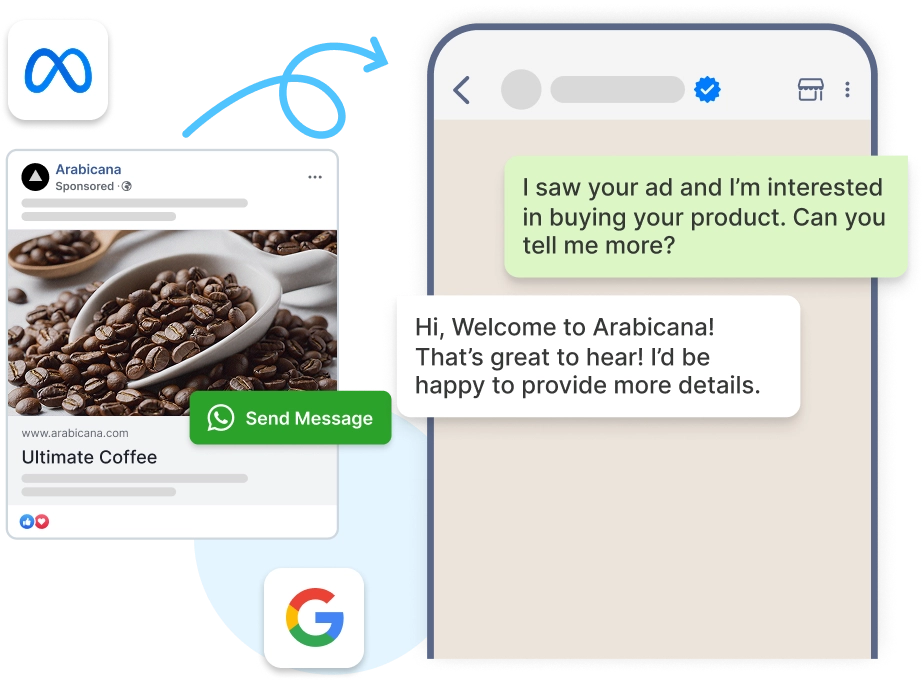
Click-to-WhatsApp Ads
A Facebook or Instagram ad that opens straight into a WhatsApp chat — no landing page, no form, no drop-off. The person who clicks is already talking to you.
Where ChatAgent fits in
Once someone lands in your WhatsApp, ChatAgent is what turns that first "hi" into a checkout — and every checkout into a repeat customer.
WhatsApp Storefront
Turn your product catalog into a shoppable storefront customers browse without leaving WhatsApp — catalog, cart, and payment in one flow.
Repeat-Order Automation
Refill reminders, post-purchase journeys, and win-back campaigns run on autopilot — triggered by purchase behavior, not a broadcast schedule.
WhatsApp CRM
Know every customer’s history without a spreadsheet — tags, lifecycle stage, order record, and shared team inbox inside WhatsApp.
Commerce Analytics
Track revenue, repeat purchase rate, and campaign performance in one dashboard — not across five disconnected tools.
Go deeper — pick a lesson and swipe through
Each lesson is a URL-shareable, mobile-friendly slide deck. Open one, then use arrow keys or swipe to navigate.